
For most financial institutions, the compliance data itself is rarely the problem. By the time reporting season arrives, your compliance team has already gathered the necessary account balances, U.S. TINs, and identifying information, carefully organizing it all into a pristine Excel spreadsheet.
The actual bottleneck is the format.
Tax authorities don’t accept spreadsheets. The IRS and OECD require this data to be submitted in highly rigid, machine-readable XML schemas (specifically the FATCA XML Schema v2.0).
If you have ever tried to manually code these files or relied on generic conversion tools, you already know the frustration of instantaneous portal rejections. Here is why standard spreadsheet conversions fail, and how modern FATCA reporting software bridges the gap between human-readable data and machine-readable compliance.
The Problem: Why "Save As XML" Fails
It is a common misconception that you can simply export an Excel spreadsheet (.xlsx or .csv) directly into an XML file and upload it to the International Data Exchange System (IDES).
While Excel can generate basic XML, it cannot natively construct the complex, nested hierarchical logic required by international tax authorities. A compliant FATCA or CRS file requires:
-
Strict Namespace Declarations: The headers must perfectly match the OECD reporting schema.
-
DocRefId Formatting: Every single record requires a globally unique, strictly formatted Document Reference ID. A single duplicate or malformed ID will cause the entire payload to be rejected.
-
TIN & Data Validation: The XML must adhere to specific character limits and data types. If a field expects a two-letter country code and receives a full country name, the schema breaks.
When a financial institution attempts to build this manually, it inevitably leads to a cycle of submitting the file, waiting for the IDES portal to throw an "Invalid Schema" or "NVF" error, and hunting through thousands of lines of code to find a missing bracket.
The Solution: Purpose-Built FATCA Reporting Software
The most efficient way to handle cross-border reporting is to separate the data collection from the data formatting. Your team should focus on maintaining accurate account spreadsheets, while a dedicated software engine handles the strict schema generation.
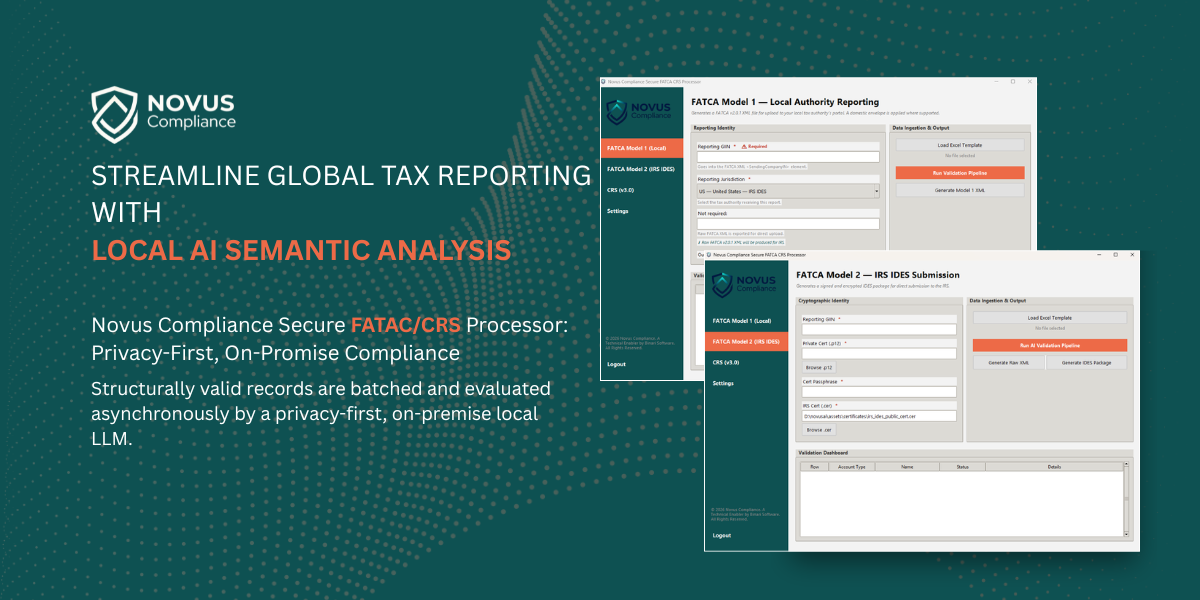
As a technical enabler for compliance, a specialized XML generator does not act as a third-party filing agent that takes over your entire operation. Instead, it sits securely in your backend workflow, performing three automated tasks:
1. Automated Data Mapping
Instead of writing code, users upload their standard Excel or CSV files into the platform. The reporting software automatically maps your column headers (e.g., Account Balance, Account Holder Name, TIN) to the exact XML nodes required by the IRS or local tax authority.
2. Pre-Transmission Schema Validation
Before a single file is generated, the software scans the uploaded spreadsheet against the official FATCA v2.0 or CRS rulesets. It catches missing TINs, invalid country codes, and formatting errors before you generate the file, guaranteeing a zero-rejection rate when you finally upload it to the government portal.
3. XML Generation and SSL Encryption
Once validated, the engine generates the raw XML file. However, for FATCA submissions specifically, the raw XML must be digitally signed, compressed, and encrypted using AES-256 before the IDES portal will accept it. High-quality FATCA reporting software handles this payload packaging natively, utilizing your SSL certificate to encrypt the data so it is instantly ready for IDES transmission.
Stop Fighting the Schema
Compliance deadlines are stressful enough without having to reverse-engineer IRS data architecture.
By utilizing a dedicated XML generation engine, financial institutions and advisory firms can keep their data collection processes exactly as they are—in Excel—while completely automating the technical burden of schema formatting, validation, and encryption.
Ready to automate your reporting pipeline? Discover how the Novus Compliance XML engine seamlessly converts your spreadsheets into IDES-ready FATCA, CRS, and ESR reports. Request a Demo